Musio for AI Assistants
Real studio instruments for your AI assistant.
Give your AI assistant real studio instruments to play. Instead of flat, synthetic AI music, your assistant writes real parts and Musio records them with 3,509 studio instruments—and hands back audio (WAV/MP3) and notation, with MIDI and a Musio Studio project coming soon.
- Instruments
- 3,509
- Studio library
- 426 GB
Listen to what it plays
24-bit / 48 kHzRooftop Run
Cinematic chase
Cinematic chase: Hyperion brass, True Strike timpani, Scoring Synths bass, and Nashville spiccato strings.
Delivered as
-
Audio
WAV / MP3
-
MIDI
Coming soon
-
Musio Studio
Coming soon
-
Notation
View score
Why mus.io Is Different
Instruments, Not Prompts
You may have heard of AI song generators: type a prompt, get a song. mus.io works differently. Your AI writes the actual notes, and real studio recordings play them.
AI song generators
Type a prompt, get one finished file
You type a prompt
One finished audio file
- The AI makes up the whole song at once.
- The instruments are sounds it imitated.
- It all comes as one audio file, so it is hard to really edit.
mus.io
Your AI writes the notes, real studio recordings play them
Your AI writes the notes
Each note is a real recording, each instrument its own track
- Every note is a real studio recording, from orchestras to vintage synths.
- You get each part back separately, ready to change or fix.
- Open it in your music software. Notation comes too, and MIDI is coming soon.
- Real instruments Recorded in the studio, from orchestras to vintage synths.
- Edit every note Change, fix, or move any note, any time.
- Separate tracks Every instrument comes back on its own track.
- Your files Yours to keep and use.
How It Works
From your idea to real instruments
Your assistant does the writing. Real studio recordings do the playing. There is nothing to install.
-
01
Start with anything
Not just a prompt. Show or tell your agent whatever you have.
- Type an idea “A lullaby for a rainy Sunday”
- Hum or sing a melody A voice memo from the car
- A photo of sheet music Or a tune scribbled on a napkin
- A MIDI file or chord chart Am, F, C, G, four bars each
- A video to score Thirty seconds of drone footage
- A poem or lyrics Set Grandma’s favorite verse to strings
- A picture or mood board “Make it sound like this place”
- Just a feeling “Hopeful, a little nervous”
-
02
Bring your own agent
Use the AI agent you already have. It takes what you gave it and writes the music out as notes, part by part.
-
 Claude Code
- Codex
-
 Hermes Agent
-
 Grok Bot
-
 Cursor
-
 Gemini CLI
-
 OpenClaw
- Any agent that can call an API
-
-
03
mus.io plays every note

Musio instruments
3,509 real studio instruments play the notes in the cloud, from orchestras to vintage synths. Nothing to download or install.
-
04
You get a music production
- Audio WAV or MP3 Ready to play anywhere
- Musio Studio session Coming soon DAW file Open it and keep working
- Notation PDF or MusicXML Sheet music for players
- MIDI Coming soon Standard MIDI file The notes, in any music app
What's Inside
3,509 studio instruments, ready in the cloud
The full catalog is in the cloud: 3,509 instruments from Cinesamples, Soundiron, AudioOllie, Simple Samples, Saturn, ProjectSAM, and Redtape, with none held back. The library is real instruments recorded in the studio, from orchestras to vintage synths. Every instrument has a card agents can read, covering description, range, articulations, and playing tips. Access 426 GB across 443,594 studio sample files without downloading anything locally. Available with Complete ($179 a year), lifetime, and Musio 1 accounts.
A few of the collections
See all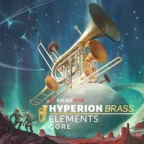
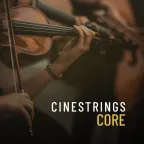
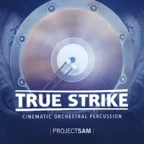

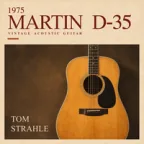






What your assistant sees
A card for every instrument
Before it writes a note, your assistant reads the instrument’s card: how low and how high it can play, the ways it can be played, and what it does best.
- Instruments
- 3,509
- Developers
- 7
- Cards
- One each
Instrument card
Solo stringsCello
CineStrings Solo · by Cinesamples
Range
C2 to F5 · lowest to highest note
Playing styles · 10 in all, including
- Legato (smooth)
- Sustain (long notes)
- Staccato (short)
- Spiccato (quick and bouncy)
- Pizzicato (plucked)
- Marcato (accented)
Playing tips
- Best for slow, singing melodies.
- For fast repeated notes, use spiccato.
- Avoid fast smooth runs and leaps wider than an octave.
1 of 3,509 instrument cards
Zero local downloads
Everything renders in the cloud—no 426 GB sample library to download or manage.
Raw samples stay private
Finished audio and notation are returned; raw sample files are never exposed.
Account-gated & metered
Included with Complete ($179 a year), lifetime, and Musio 1 accounts with per-account usage tracking.
No AI training
Training models on Musio instruments or rendered output is strictly prohibited.
Get Started
Sign in with Musio
Available with Complete ($179 a year), lifetime, and Musio 1 accounts. Sign in to check your usage, copy instructions for your AI assistant, or run a live render below.
Musio account
signed outFor Developers & Agents
API endpoints & live beta console
Send a score, MIDI, or note JSON payload to POST /v1/jobs and poll GET /v1/jobs/<id> for signed output links.
View example request & response JSON (POST /v1/jobs)
POST /v1/jobs
{
  "type": "render",
  "phrase": {
    "tempo_bpm": 72,
    "parts": [
      {
        "instrument": "String Ensemble | Sustain Vibrato",
        "dynamics": 80,
        "notes": [
          { "t": 0, "dur": 4, "pitch": "A3", "vel": 78 },
          { "t": 0, "dur": 4, "pitch": "C4", "vel": 78 },
          { "t": 0, "dur": 4, "pitch": "E4", "vel": 78 }
        ]
      }
    ]
  }
}
GET /v1/jobs/<id>
{
"id": "<id>",
"type": "render",
"state": "succeeded",
"outputs": ["mix", "score"],
"link_seconds": 3600,
"files": [
{ "name": "mix.wav", "bytes": 6512640, "url": "https://storage.googleapis.com/…" },
{ "name": "score.pdf", "bytes": 184320, "url": "https://storage.googleapis.com/…" }
]
}Live Beta Render Console
signed outSign in with Musio (Beta). Uses a beta account on api.beta.mus.io.